
Never lose another admissions enquiry.
Right now your enquiries live in WhatsApp, a notebook and someone's memory, and every one that slips through is a year of school fees. The Admissions Pipeline gives every enquiry one home: families ask through your own link, your info pack emails itself back in seconds, and every child becomes a card you drag from first contact to enrolled learner.
- Your fee sheet and prospectus email themselves to every enquiry, even at 9 pm on a Sunday
- A fair waiting list: siblings first, then first come first served, with spot-open alerts
- One click turns an accepted family into an enrolled learner, no retyping
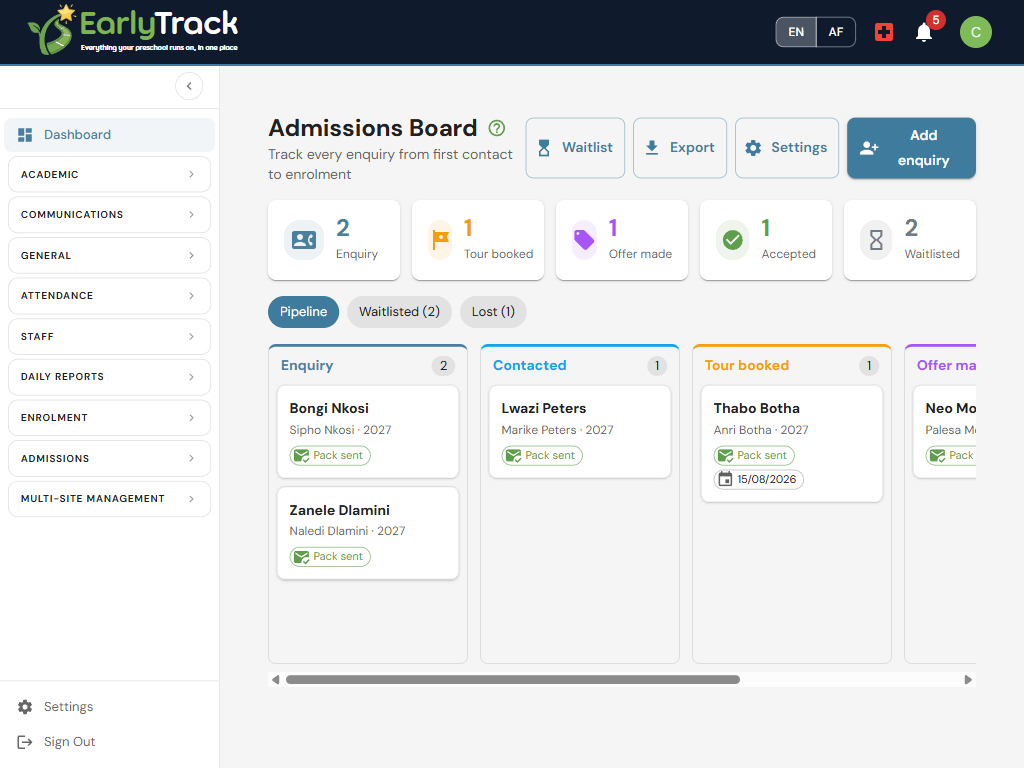
From "do you have space?" to enrolled, in four steps
Set it up once in about fifteen minutes. From then on, every enquiry follows the same organised path, whether it arrives from your website at midnight or at the school gate at drop-off.
Share your enquiry link
Generate your own public enquiry link and put it on your website, Facebook page or WhatsApp status. Parents fill in a two-minute form on their phone, in English or Afrikaans, no login needed.
The info pack answers first
Your fee sheet, prospectus and welcome text email themselves back within seconds. The family gets a beautiful first impression while your team gets a notification.
Drag the card forward
Every child is a card on the board: Enquiry, Contacted, Tour booked, Offer made, Accepted. Each move is remembered on a timeline, and quiet enquiries nudge you before they go cold.
One click to enrol
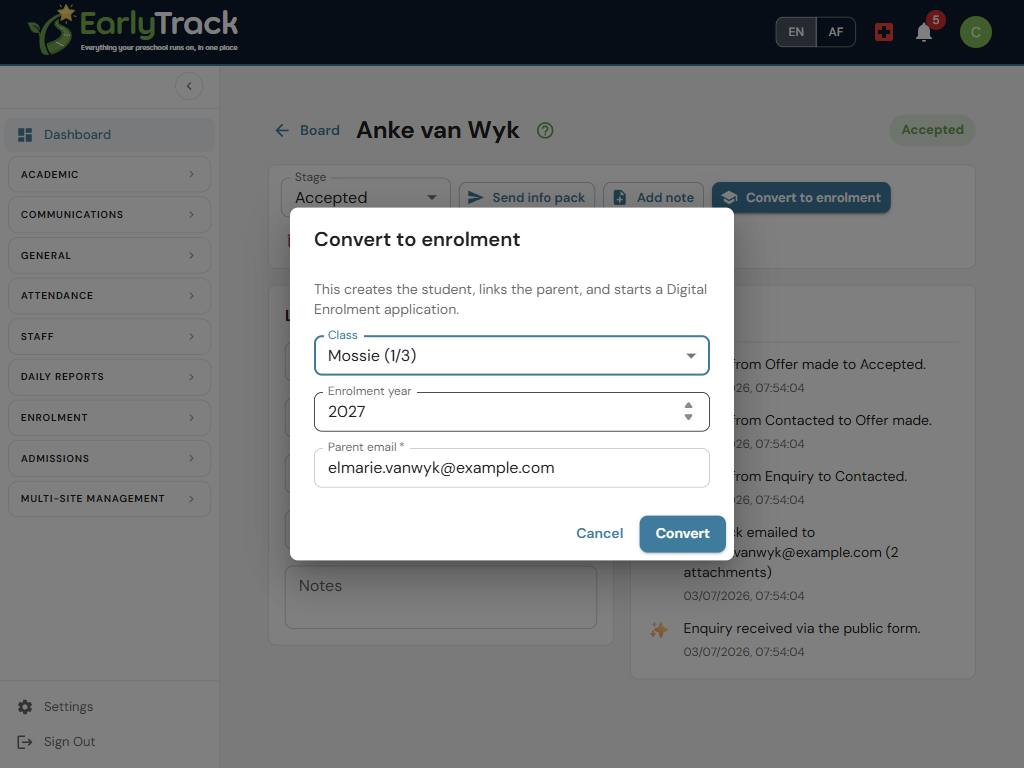
When the family says yes, Convert creates the learner, links the parent and opens a Digital Enrolment application. The paperwork continues where the conversation ended.
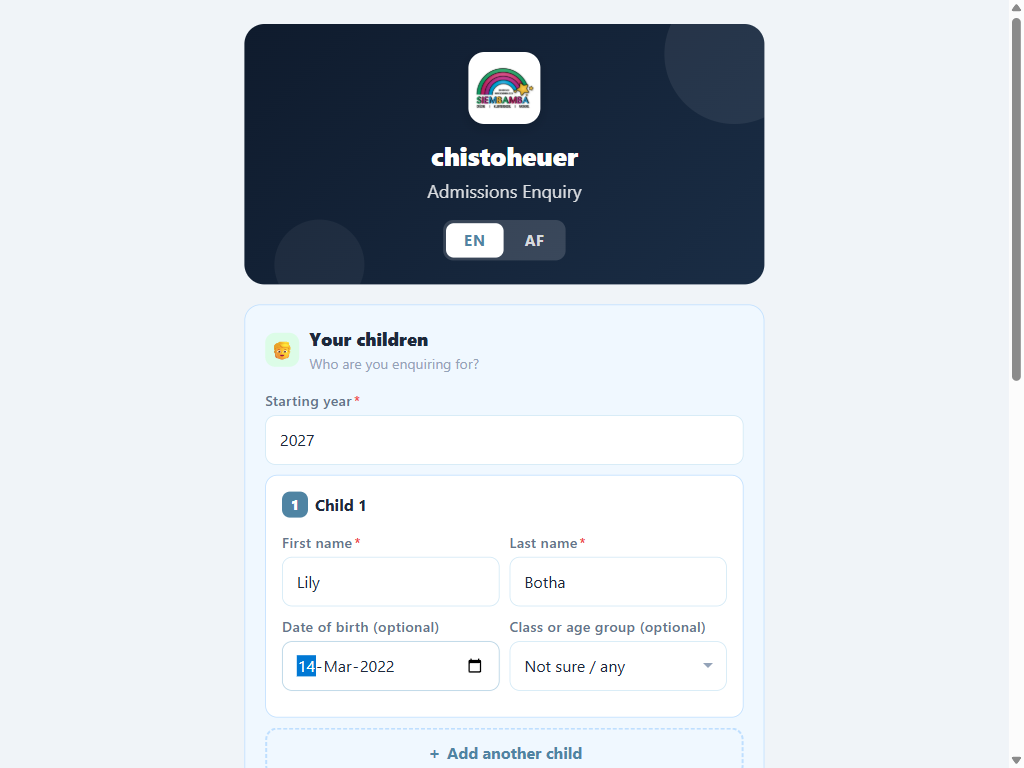
A two-minute form for parents, a perfect first reply from you
The public enquiry form asks only what matters: the children (up to five in one go, each becomes its own card), the starting year, and how to reach the family. The moment they tap send, your acknowledgement email goes out with the documents you chose, fee sheet, prospectus, term dates, attached. Families who phone or walk in are captured with one Add enquiry button, so they get the same organised follow-up.
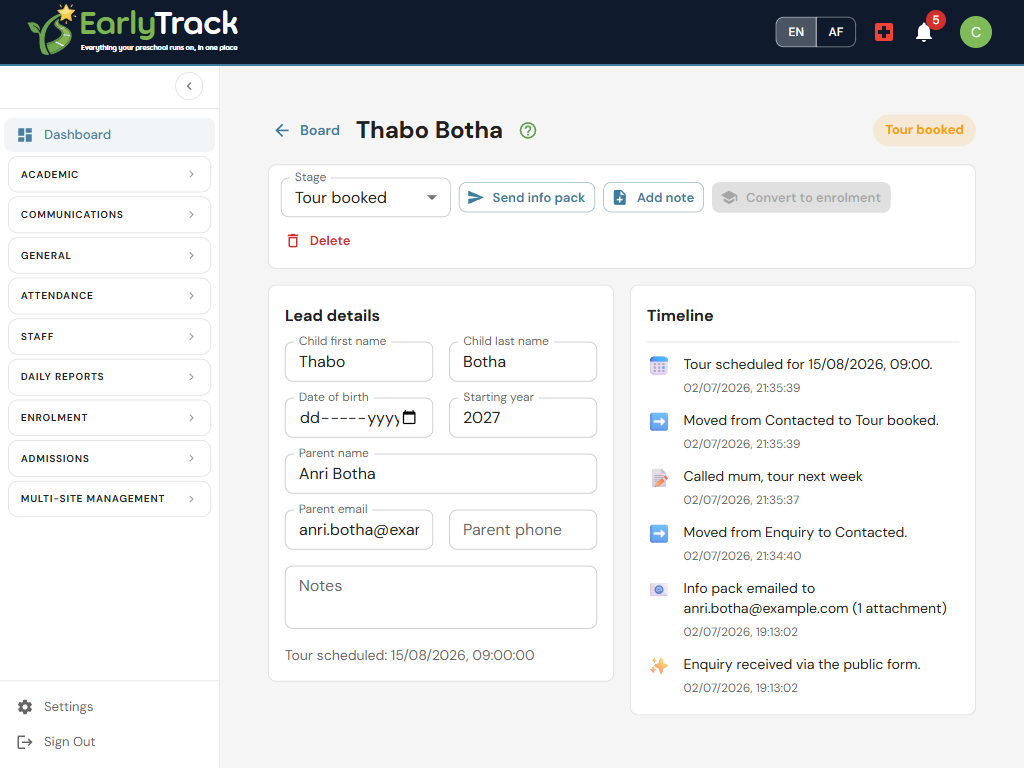
Every call, tour and email, remembered for you
Open any card and the whole story is there: when the enquiry arrived, when the info pack went out, every stage move, the tour date, and the notes your team added after each call. Anyone can pick up the conversation exactly where a colleague left it. And if an enquiry sits quiet for a few days, EarlyTrack nudges your admins, never the parent, so no family is left wondering.
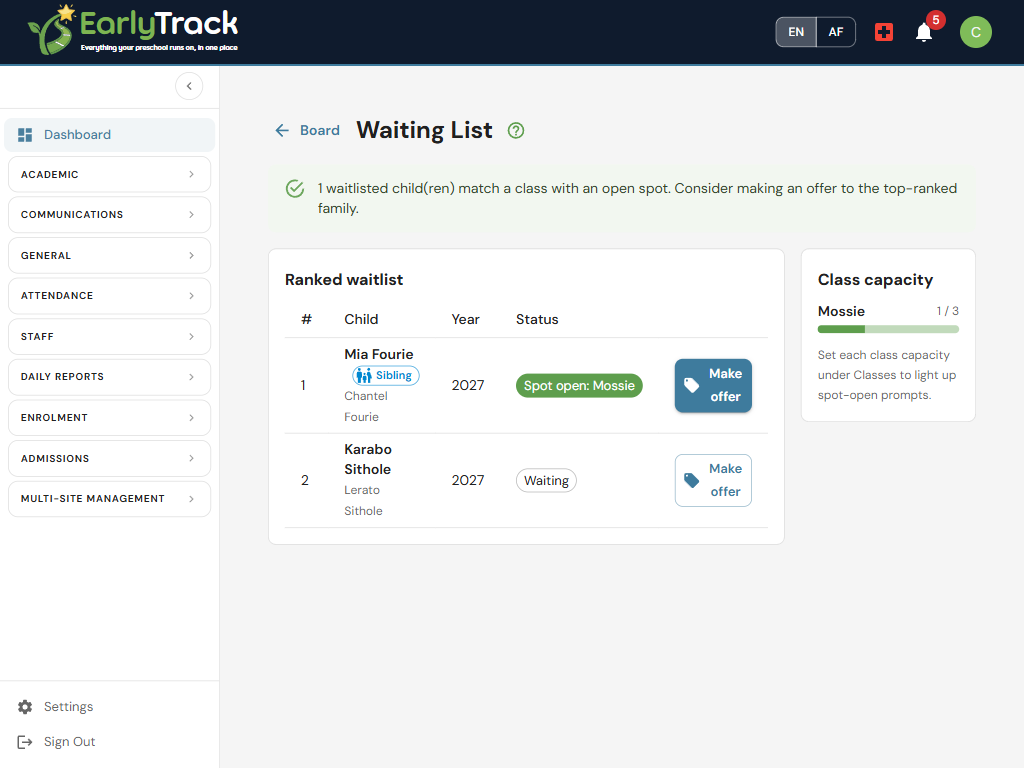
A waiting list nobody can argue with
No space right now? The child joins a ranked queue that every parent would call fair: siblings of enrolled learners first, then strictly first come, first served. Each class shows enrolled versus capacity as a simple bar, and the moment a class with space matches a waitlisted child, a green spot-open alert appears. Making the offer stays your decision, one click moves the child to Offer made so you can call the family with good news.
The family says yes. You click once.
Convert to enrolment is the whole pipeline's reward: it creates the learner in the class you pick, links the parent, and opens a Digital Enrolment application for the family to complete their forms, documents and signatures. Nothing is retyped, the lead is locked with a link to the application it became, and enrolling over capacity always asks you twice, so it is a decision, never an accident.
What's included
The Admissions Pipeline comes with the Digital Enrolment module, included on the Professional, Professional Plus and Complete plans. See the full plan comparison.
Built to treat families, and their information, with care
An enquiry is a family trusting you with their details before they even know you. The pipeline is designed around that.
POPIA consent on every enquiry
The form always shows your consent text with a tick box, in your own words. Enquiries are personal information, and the pipeline treats them that way from the first click.
One-click unsubscribe, honoured forever
Every info-pack email carries an unsubscribe link. A family that opts out is never emailed from admissions again, the button simply refuses.
Admins only, parents never log in
Every admissions screen is admin-only. Teachers do not see enquiries at all, and prospective parents only ever see the public form and your emails.
Nothing is promised automatically
The system never makes an offer, never nags a parent, and never enrols over capacity without an explicit second click. People decide; EarlyTrack remembers.
Admissions Pipeline questions, answered
Your next enquiry could arrive tonight. Be ready for it.
The 14-day free trial gives you full access, including the Admissions Pipeline and Digital Enrolment: the enquiry link, the automatic info pack, the board, the waiting list and one-click enrolment. Set-up takes about fifteen minutes.
Start your free trialNo credit card. Full access. Cancel any time.