
Parent portal for South African preschools - beyond WhatsApp
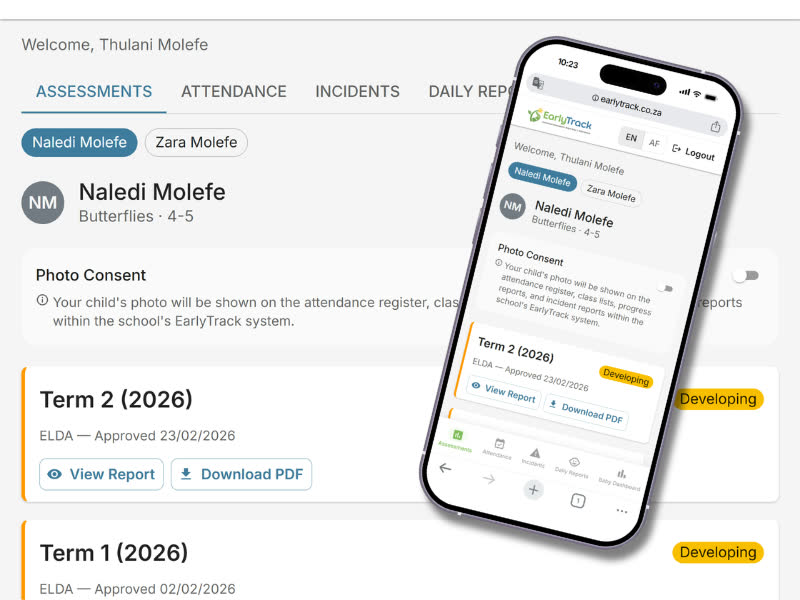
EarlyTrack's parent portal gives every parent browser-based access to assessment reports, notifications, and more - while giving the school a logged, structured communication system that works automatically. Available on both the Standard and Professional plans.
- Browser-based parent access - no app download required, works on any device
- Automated report delivery - parents notified the moment the principal approves
- Every notification logged - date, time, and delivery status recorded
WhatsApp is not a school communication system - and most South African preschools know it
WhatsApp became the default communication channel for South African preschools because it is fast, free, and already on every parent's phone. For quick announcements and photos of the day's activities, it works well enough.
A teacher sends a term report as a PDF attachment in a WhatsApp group. Twenty parents receive it. Two parents say they never got it. The teacher cannot verify whether the PDF was downloaded or ignored. There is no record of when it was sent, which parents opened it, or whether any parent has a question about it.
A child is injured. The teacher contacts the parent by WhatsApp. Six months later, the parent disputes the incident - claims they were never properly informed. The WhatsApp message is gone from the teacher's phone. There is nothing to show a DSD inspector.
A teacher leaves the school mid-year. All of the parent communication history for their class existed in their personal WhatsApp. It leaves with them.
The problem is not WhatsApp. The problem is using a personal messaging tool as a professional record-keeping system. The school has no ownership of any communication that happens there.
A parent portal that gives the school ownership of its communication - and parents the visibility they deserve
Parents access a browser-based portal using a login created through a school-issued invitation link. Everything the school sends is logged. The school owns the communication record - not an individual teacher's personal phone.
Share Reports
Approved assessment reports are published to the parent portal instantly. Parents receive an email notification with a direct link.
Personalised Activities
AI generates home learning activities matched to each child's assessment results. Practical, low-resource suggestions in English or Afrikaans.
Stay Connected
Attendance history, incident records, and real-time notifications - all in one place. Every communication logged and accessible at any time.
What the parent portal covers
The parent portal is available on both Standard and Professional plans. Content available to parents varies by plan - noted against each feature below.
No app download required - works on any device
Parents access the portal through any web browser on any device - phone, tablet, or desktop. No separate app to download or update. The portal is mobile-responsive and designed for small phone screens.
No admin setup required - parents register themselves
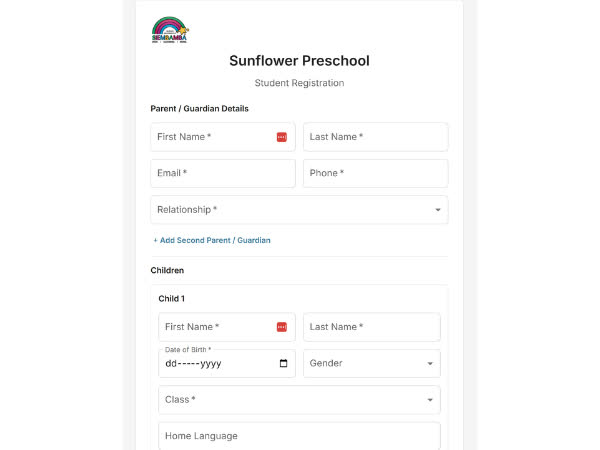
Parents register using an invitation link or school-specific registration code. The principal approves new accounts before access is granted. No back-and-forth with admin required.
View and download PDF reports - every term, from any device
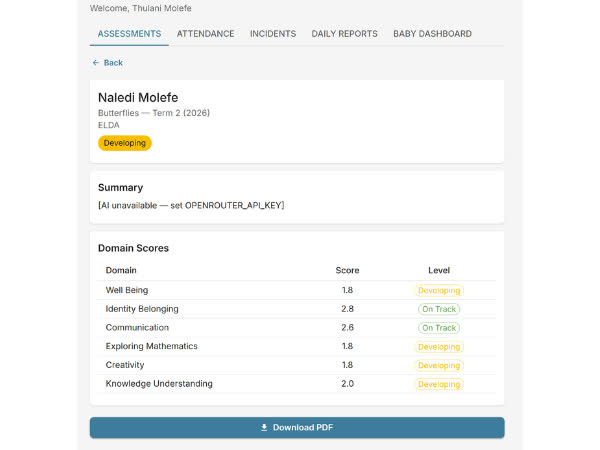
When the principal approves an assessment, EarlyTrack generates a branded PDF and makes it available in the parent portal immediately. Parents can access all previous term reports - not just the most recent one.
Assessment results in plain language - not educator jargon
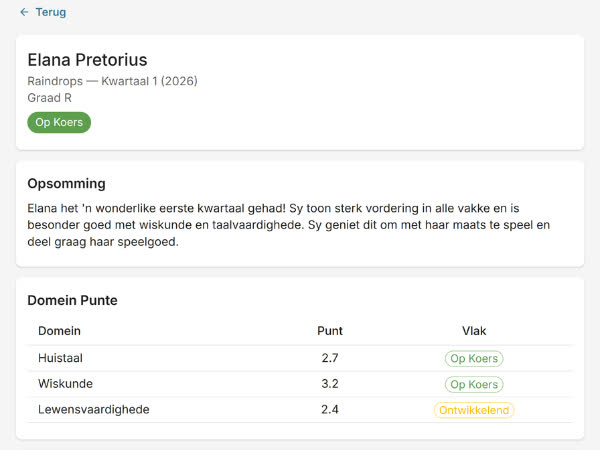
Each report includes an AI-generated summary written for the parent. Rather than navigating a formal skills matrix, the parent reads a short paragraph describing their child's development in everyday language. Available in English or Afrikaans.
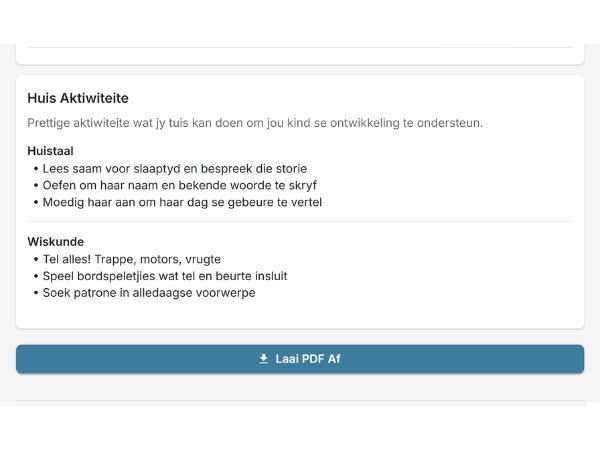
Tailored activities parents can do at home - no specialist knowledge needed
Parents receive age-appropriate home learning activities generated by AI based on their child's specific assessment results. Practical, low-resource suggestions tailored to areas where the child is still progressing. Available in English or Afrikaans.
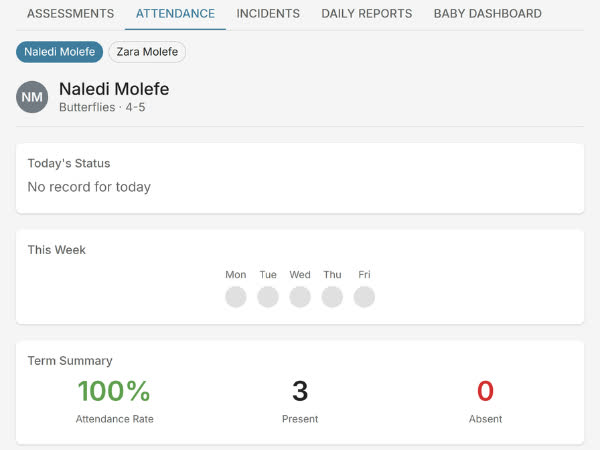
Full attendance record - visible to the parent at any time
Parents can view their child's full attendance history directly in the portal - every present, absent, late, and excused record for the current and previous terms. No need to call the school to ask about a specific absence.
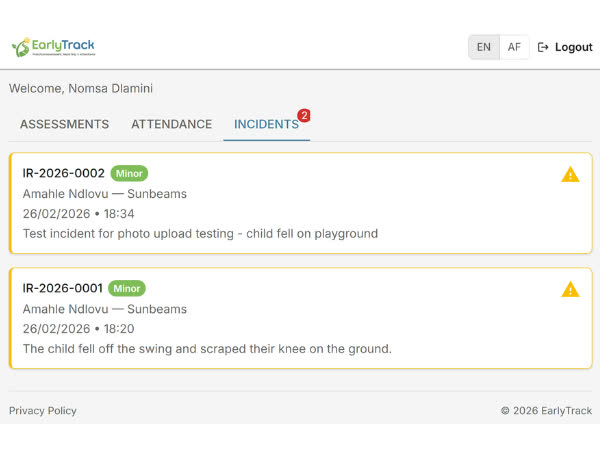
Digital acknowledgement - timestamped and stored permanently
When an incident involving a parent's child is recorded and approved, the parent receives a notification and can view the record in the portal. After reviewing, the parent provides a digital acknowledgement - a formal, timestamped confirmation stored permanently against the record.
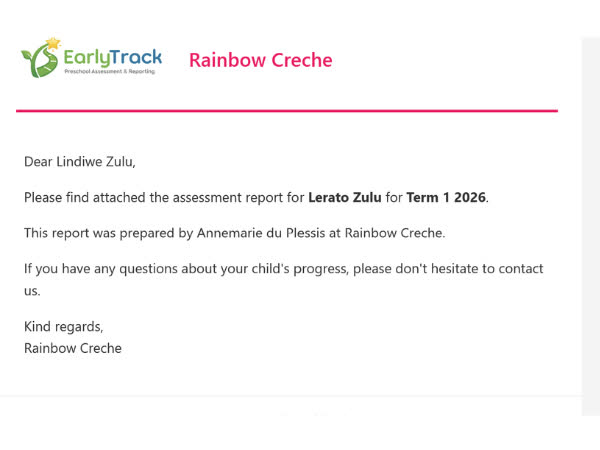
Sent for every significant event - logged with delivery timestamps
EarlyTrack sends automated email notifications to parents for every significant event: assessment report delivered, absent notification, incident notification, and acknowledgement reminders. Every notification is sent from the school's configured sender details and logged.
School branding across every parent notification
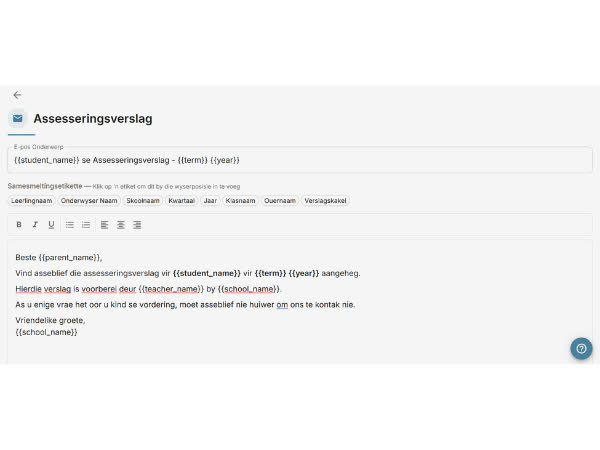
On the Professional plan, every automated email notification can be customised through a WYSIWYG editor. Set your school's header logo, brand colours, sender name, and messaging tone. Merge tags insert child name, report term, and other dynamic fields automatically.
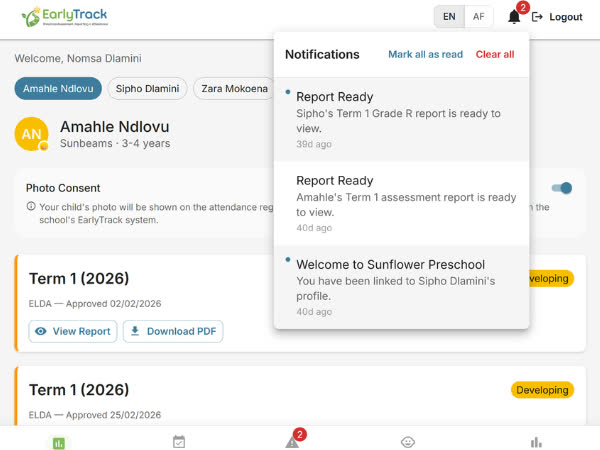
Notification bell with unread badge - no email dependency
Within the parent portal, parents receive real-time notifications displayed as a notification bell with an unread badge count. Parents who check the portal regularly do not need to rely on email. All notifications remain accessible in the notification history.
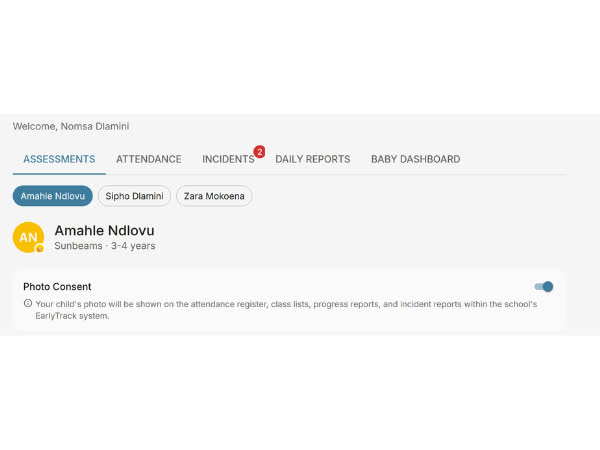
Consent status tracked per student - visible to teachers
EarlyTrack records photo consent status per student - whether the parent has consented to photographs in school communications or social media. Consent is recorded with the date it was given. Teachers see consent status when preparing content that may include student photographs.
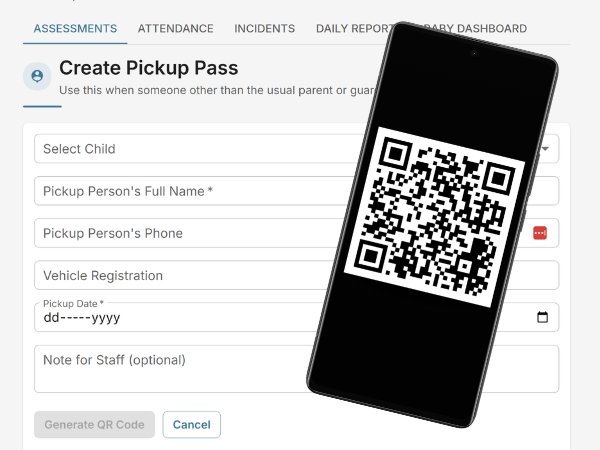
QR-verified child collection - only authorised people leave with your child
When someone other than the usual parent or guardian needs to collect a child, parents create a digital pickup pass from the parent portal. The pass generates a unique QR code that the school scans at collection time - verifying the person's identity, the correct child, and the correct date. Every pickup is logged with a timestamp and the collector's details.
From parent registration to complete communication record - fully automated
Who the parent portal is designed for
Parents wanting to support learning at home
AI-generated home activities matched to your child's assessment results. Practical, low-resource suggestions in English or Afrikaans.
Schools tired of printing and losing reports
When the principal approves an assessment, the report is in the parent's portal and an email notification is on its way - no printing, no envelopes.
Multilingual families needing plain-language summaries
AI summaries in English or Afrikaans translate educator jargon into clear, actionable language any parent can understand.
Principals wanting parent engagement metrics
Every report delivery, portal visit, and acknowledgement is logged. Know which parents are engaged and which need follow-up.
ECD centres building trust with families
A formal acknowledgement trail for incidents. Logged delivery records for every report. Communication that belongs to the school, not a personal phone.
What principals and parents should know about the portal
Parents see only their own children
Each parent account is linked only to the students they are registered as a guardian for. No visibility into other children's records, class lists, or other families' communication.
Reports visible only after school approval
The principal controls when reports are made available. Parents cannot access draft assessments, pending incident reports, or any unapproved information.
Every communication is logged and owned by the school
Unlike WhatsApp, every notification is logged against the school's records. When a teacher leaves, the communication history stays in EarlyTrack.
Parents cannot alter records
Parents can view reports, download PDFs, and acknowledge incidents. They cannot edit, dispute, or delete any school record through the portal.
Data isolated to your school
Each school's data is completely separate in EarlyTrack's multi-tenant architecture. A parent at one school cannot see any information from another school.
No parent is ever billed by EarlyTrack
Parents access the portal as part of the school's subscription, and portal access is entirely free to parents. EarlyTrack never handles a parent's card details. If your school offers online fee payments (on the Complete plan), a parent who chooses to pay does so on the school's own Yoco or PayFast page, and the money goes straight to the school, never to EarlyTrack.
Common questions about the parent portal
The portal is on both plans - what's inside depends on the school's plan
Explore related features
Give parents a professional window into their child's school - starting today
The 14-day free trial gives you the complete Professional plan - the full parent portal, every AI-generated summary, attendance history, incident acknowledgements, and customisable email templates - with no credit card required.
Start your free 14-day trialNo credit card. Full Professional access. Cancel any time.