
Bill families and track every cent, without a spreadsheet.
Set fees once, run a whole month's invoices, record payments, send statements and see exactly who owes what.
- Set fees once, then run a whole month's invoices in a few clicks
- Record full and partial payments and send family statements
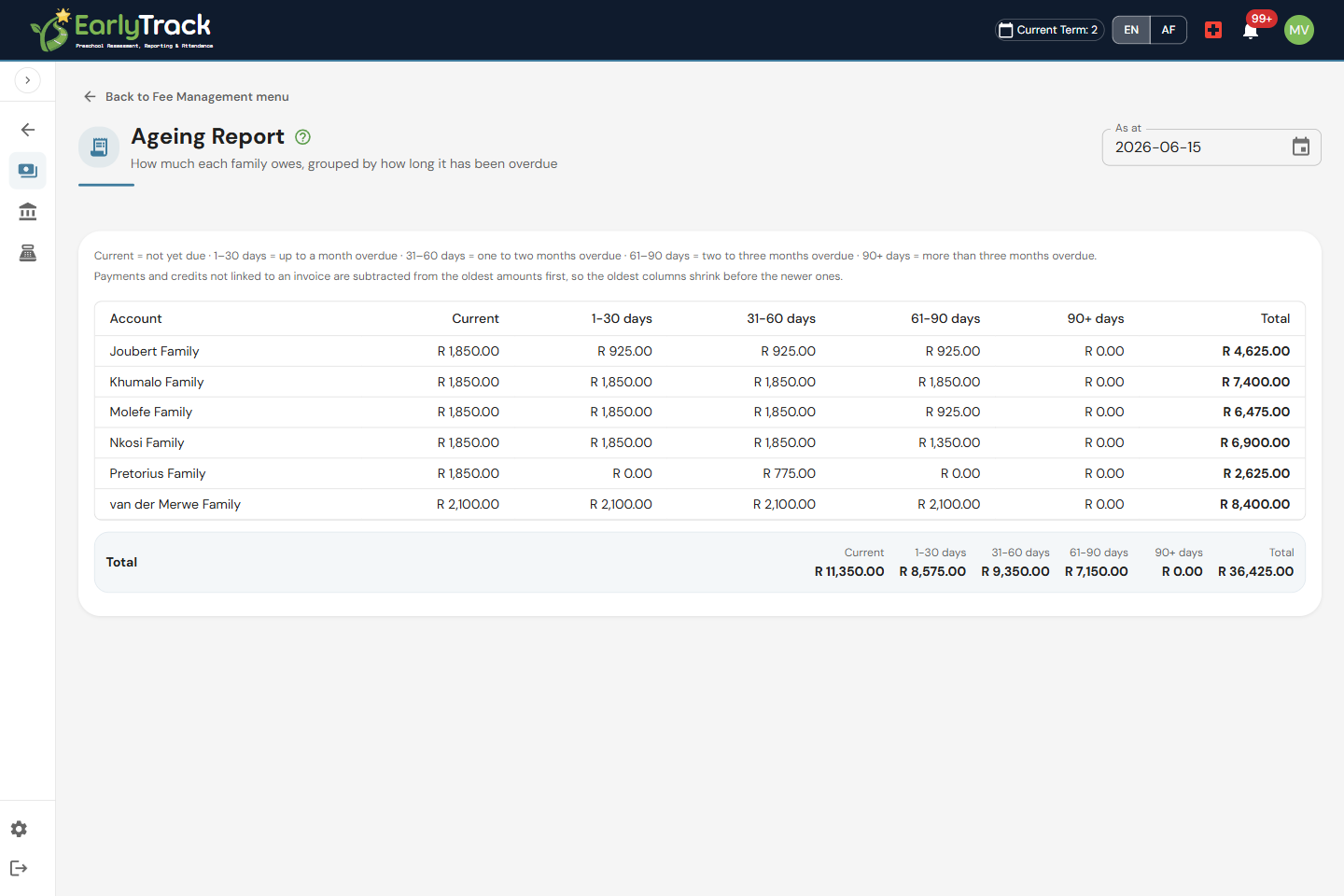
- See exactly who owes what with 30/60/90 debtor ageing
From fee items to a clean invoice
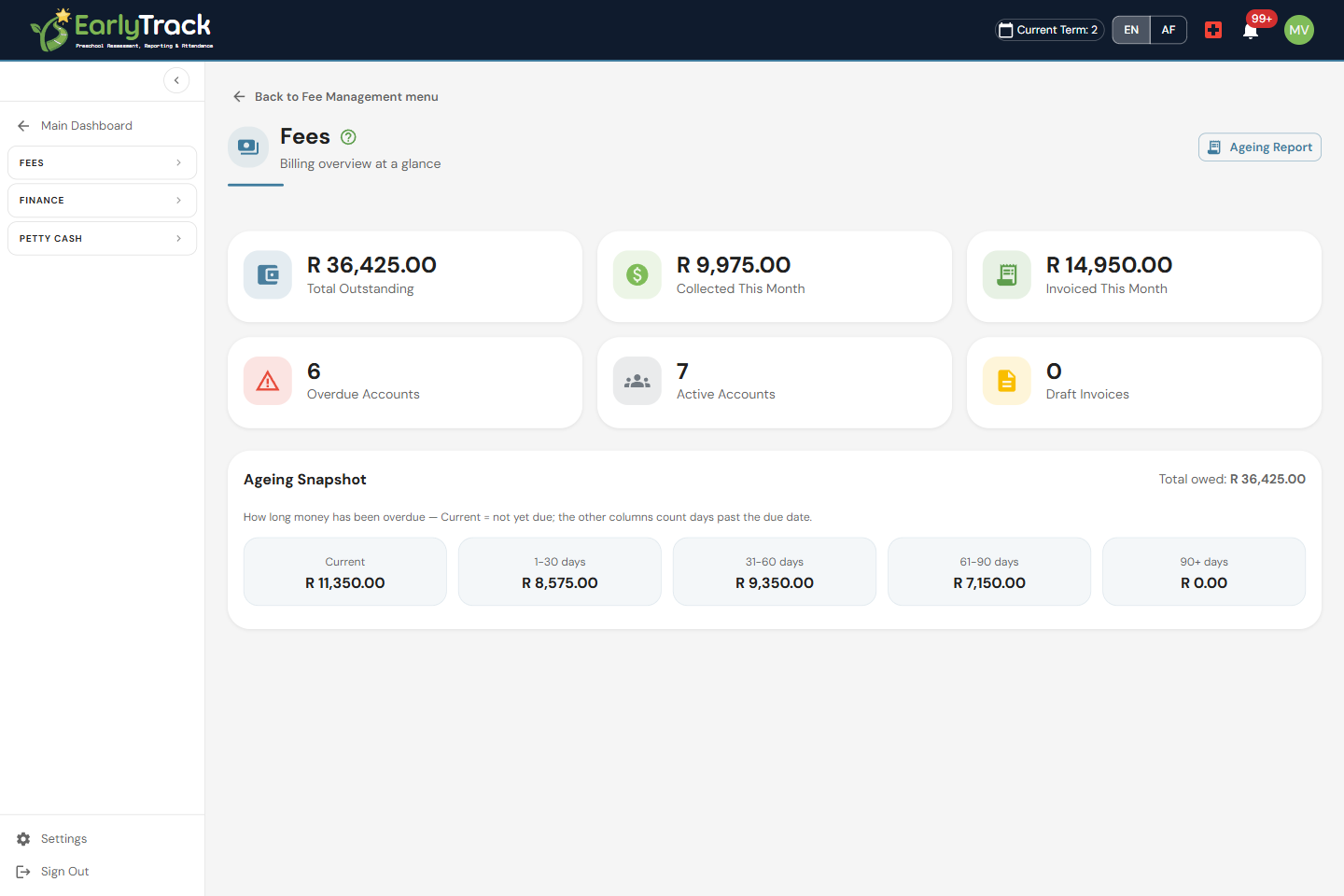
Set your fee items and price list up once, then build combined family billing accounts so siblings land on a single bill. Each learner gets their own fee profile, and when it's time to invoice you run a monthly billing run from draft to approved, review everything before a single invoice goes out. Approve the run and out comes a clean invoice and a branded PDF for every family.
Know exactly who owes what
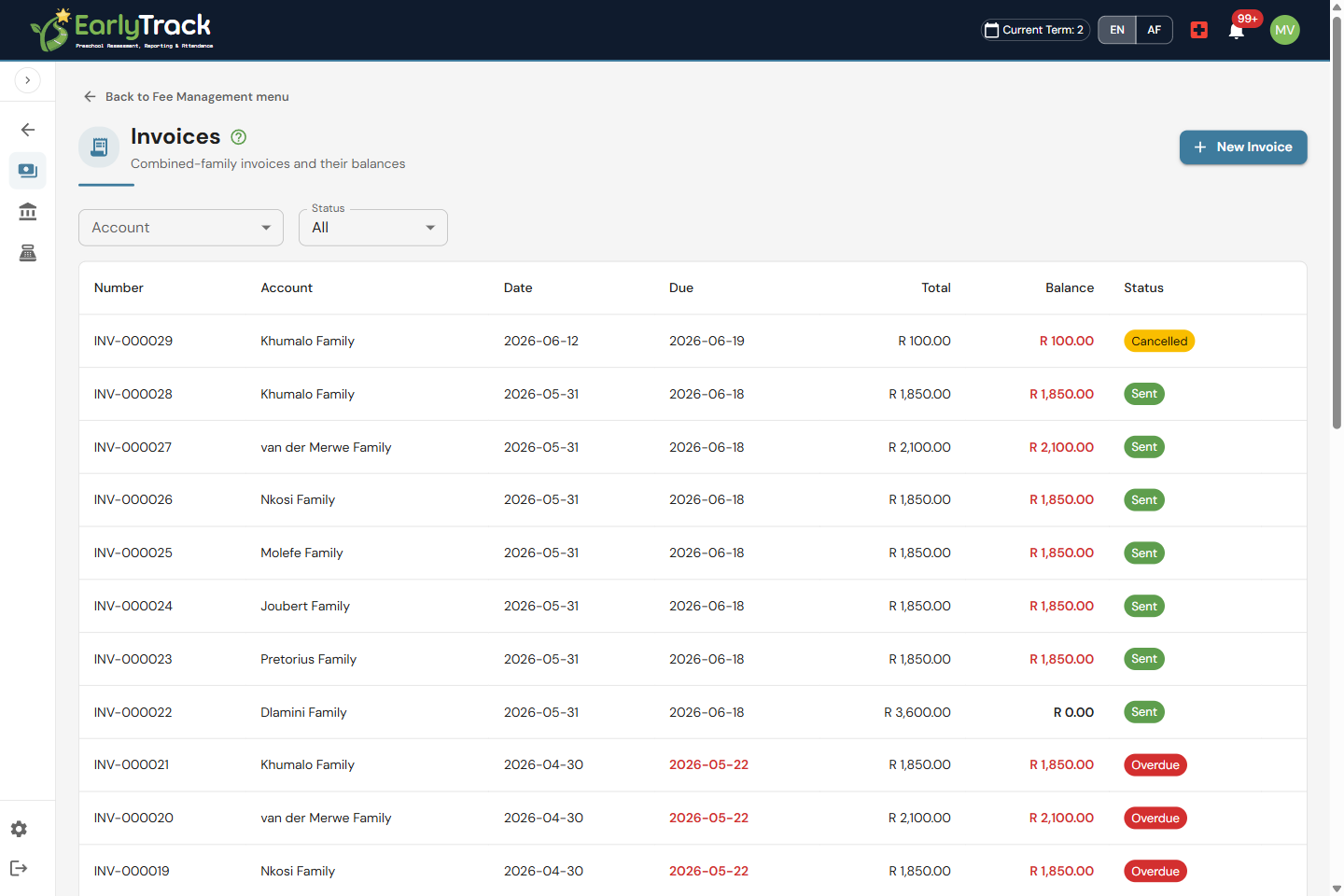
Record payments as they come in, full or partial, and watch each family's balance update automatically. Send clean family statements that show every charge, payment and credit, raise credits and credit notes when you need to, and let the 30/60/90 debtor ageing report tell you exactly who is behind and by how long. No more guessing from a spreadsheet at month-end.
Discounts, VAT and a clean start to the year
Real preschool billing is rarely one flat fee, so Fee Management handles the bits that usually break a spreadsheet. Apply sibling and family discounts so the second and third child are billed correctly without you doing the maths by hand. Switch on VAT support when your centre is registered, so the right amounts show on every invoice and statement. And when you move a family across from your old system, capture their opening balance so their billing account is right from day one, no carried-over errors.
Sync to Xero, or keep your own books
Fee Management now connects straight to Xero. Approved invoices and payments (and their credits, refunds and cancellations) push into your school's own Xero organisation, so your bookkeeper reconciles the bank there against figures that are already correct, no retyping. A nightly Xero check then reads Xero back and flags anything captured, deleted or voided there by hand, so the two systems never quietly drift apart. Prefer to keep the books inside EarlyTrack? The built-in General Ledger turns every approved fee, payment and adjustment into balanced double-entry journals, proves your family balances tie to the ledger, and gives your accountant a trial balance, income statement, balance sheet and a controlled year-end close. Either way, a full fee audit trail records who did what and when, so you can always answer a query.
Let parents pay their fees online
On EarlyTrack Complete you can connect your school's own Yoco or PayFast account and switch on online payments. Parents then see a Pay now button on their invoice in the Parent Portal and pay by card with Yoco, or by card, EFT or digital wallet with PayFast. The moment a payment clears it records itself against the right invoice and the family's balance updates, with no manual capture and nothing to reconcile later. Your school stays the merchant: the money settles straight into your own Yoco or PayFast account, and EarlyTrack never holds or touches the funds. You pick one gateway, and you can turn it off whenever you like.
What's included
Fee Management is part of EarlyTrack Complete.
Billing you can trust, with the figures always right
Fee Management keeps balances, statements and ageing in step with every payment you record, so you can always show a family exactly what they owe and why.
Balances update automatically
Every payment, credit and charge feeds straight into the family's billing account, so statements and the 30/60/90 ageing report always reflect the true outstanding amount.
Review before you invoice
Monthly billing runs start as a draft you can check line by line, and only become invoices once you approve the run, so nothing goes out to families by accident.
Reconcile against your bank
Import your bank statement as CSV, Excel or OFX, and match each deposit to the right family payment with suggestions you confirm, duplicates removed, matching deterministic first.
A full fee audit trail
Fee runs, invoices, payments and credits are all recorded, so you can answer "who did this, and when", sync it live to Xero, or keep balanced double-entry books in the General Ledger.
Fee Management questions, answered
Ready to bill your families without a spreadsheet?
The 14-day free trial gives you full access, including Fee Management, billing accounts, invoices and PDFs, payments, statements and 30/60/90 debtor ageing, with no credit card required.
Start your free trialNo credit card. Full access. Cancel any time.