
Staff management software for South African preschools and ECD centres - one system for clock-in, leave, qualifications, and ratios
EarlyTrack's staff management module connects clock-in, leave, qualifications, scheduling, ratio monitoring, and staff self-service in one system - running automatically in the background every school day. Available on the Professional plan.
- Staff clock in by barcode, PIN, or daily code on a tablet at the school entrance
- Staff-to-child ratios monitored every 30 minutes - principal alerted immediately on breach
- Qualification expiry dates tracked with automated renewal alerts
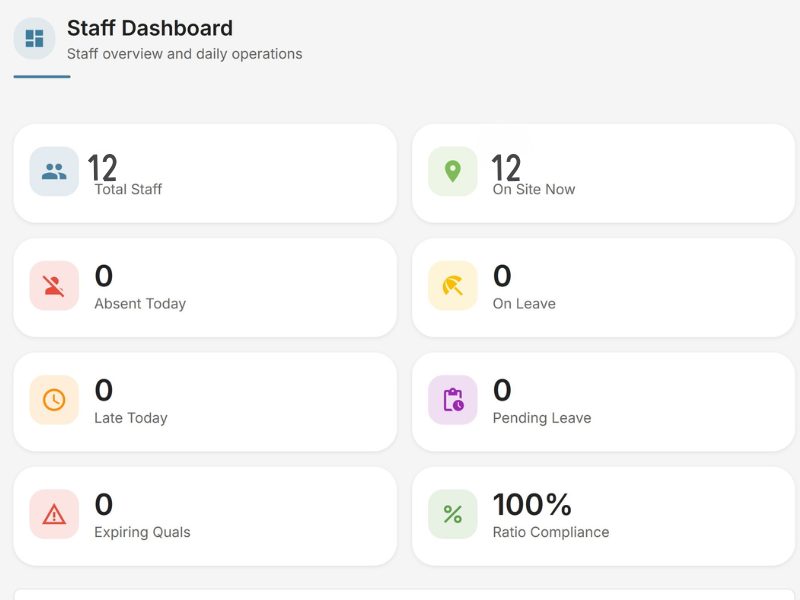
Managing staff operations manually means the principal carries all the risk
A South African ECD centre with ten staff members is running a small HR operation every day. Timekeeping, leave approvals, qualification renewals, scheduling, and ratio compliance all need to be tracked, recorded, and demonstrable on request. In most preschools, none of it is.
The sign-in sheet records when staff arrived - or when they remembered to sign. A staff member signs in at 8:30 but arrived at 8:55. Nobody notices. A staff member forgets to sign in at all. The record shows absent for the day. A supply teacher covers for two hours in the morning, but the sign-in sheet has no way to record a partial day. At the end of the month, payroll is calculated from a sheet full of ambiguous and incomplete entries.
Leave is managed through verbal requests, WhatsApp messages, and a spreadsheet that one person maintains - usually the principal. A teacher requests three days of annual leave. The principal approves it verbally. The spreadsheet is updated. A week later, a second teacher requests leave for the same period. The principal cannot remember what the first teacher's dates were without opening the spreadsheet. The spreadsheet has not been updated in two weeks. The approval is given. Two teachers are now on leave simultaneously, and the ratio on those days may not be compliant.
A staff member's first aid certificate expired two months ago. Nobody tracked the renewal date. The certificate is in a folder in the filing cabinet - the principal is not sure which one. A DSD inspector asks to see current qualifications for all staff. The principal spends an hour finding documents that may or may not still be valid.
The staff-to-child ratio is checked at the start of the morning when everyone arrives. It is not checked again. A teacher steps out at 10 AM for a personal call and does not return for forty-five minutes. The ratio is non-compliant for forty-five minutes. Nobody knows. If an incident occurs during that window, the school's compliance record has a gap.
These are not exceptional failures. They are the ordinary, daily consequences of managing a staff operation with tools that were never designed for it.
One connected staff management system - running automatically every school day
EarlyTrack's staff management module replaces each disconnected tool with a connected digital equivalent that runs automatically - without the principal manually collecting, updating, or reconciling anything. The staff management module is available on the Professional plan.
Clock In
Staff clock in and out on a tablet mounted at the school entrance. Timestamped, method recorded, visible to principal in real time.
Manage
Leave requests, qualification tracking, scheduling, and ratio monitoring - all running automatically in a single connected system.
Report
Daily summaries, ratio logs, and monthly payroll hours - generated and emailed without any admin input.
What the staff management module covers
All features on this page are available on the Professional plan. Standard does not include any staff management features.
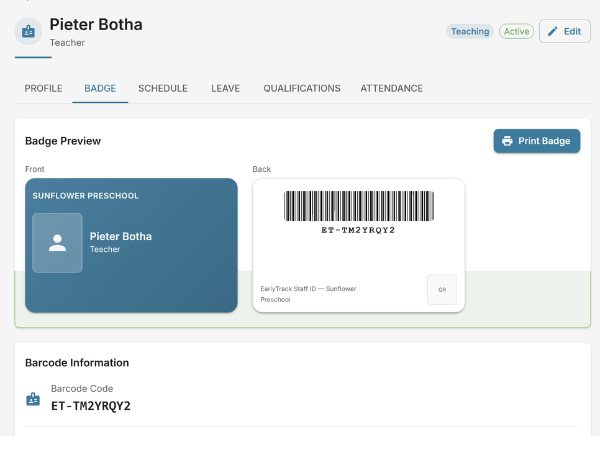
Three clock-in methods - barcode, PIN, or daily code
Staff clock in and out at a tablet mounted at the school entrance. Three clock-in methods are supported: barcode scanning, personal PIN entry, and a rotating daily code for supply teachers or visitors. Clock-in events are timestamped to the second.
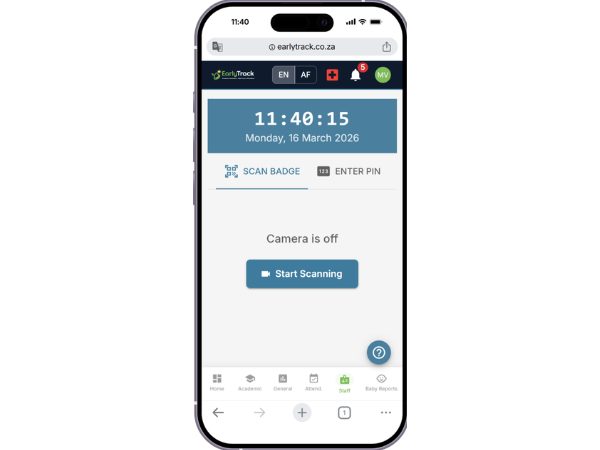
Any Android tablet or phone becomes a dedicated clock-in station
EarlyTrack's kiosk mode transforms any Android tablet or phone into a dedicated clock-in station. The kiosk interface runs full-screen, hiding all other apps and navigation. Staff cannot access administrative functions from the kiosk - it is clock-in only.
Alerts when staff are away too long
Staff who leave the school premises during school hours record a step-out on the kiosk. When they return, they clock back in and the duration is recorded. If a step-out exceeds four hours, EarlyTrack sends an alert to the principal.
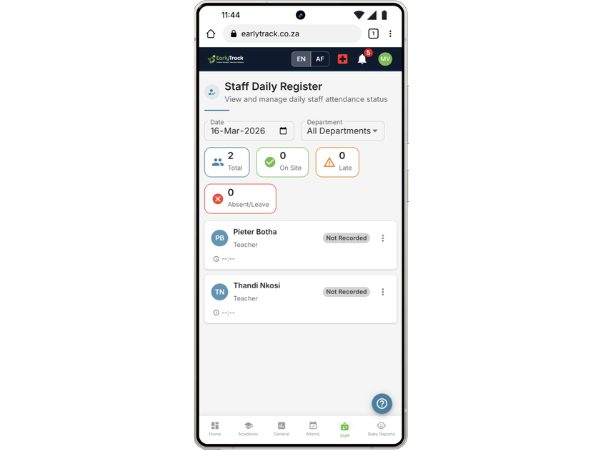
Automatic end-of-day calculations for every staff member
At the end of each school day, EarlyTrack automatically calculates each staff member's total hours worked, overtime, and whether they arrived late. Late arrivals are defined relative to scheduled start time.
Digital, traceable, balanced
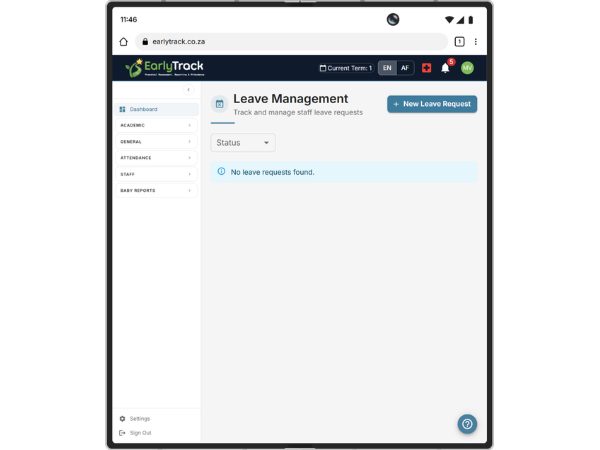
Staff submit leave requests through the self-service portal. The principal reviews with full context - leave balance, calendar of approved leave, and ratio impact - before approving or rejecting.
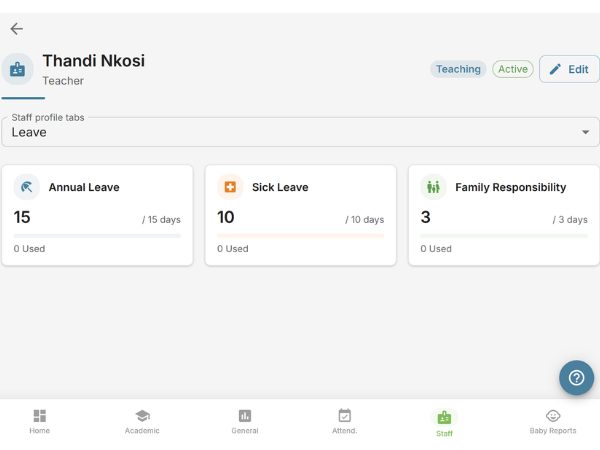
Real time, per staff member, per year
Every leave type has a configurable annual entitlement. As leave is approved, balances decrease in real time. Balances reset automatically on 1 January. History retained.
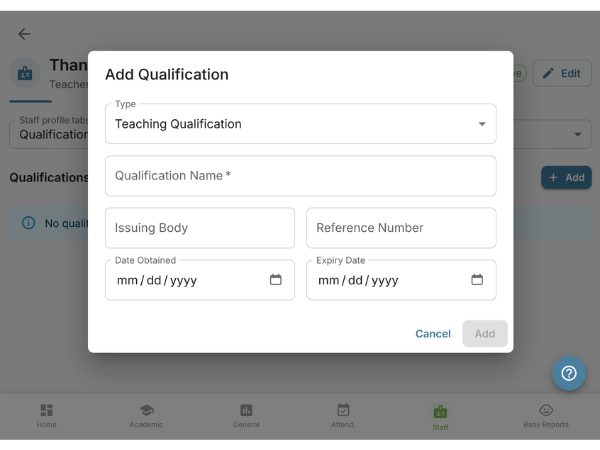
Automated renewal alerts at 90, 60, and 30 days
Each staff member's qualifications are stored with expiry dates. EarlyTrack sends automated alerts at configurable thresholds. Qualifications tracked include first aid, ECD practitioner, police clearance, and custom types.
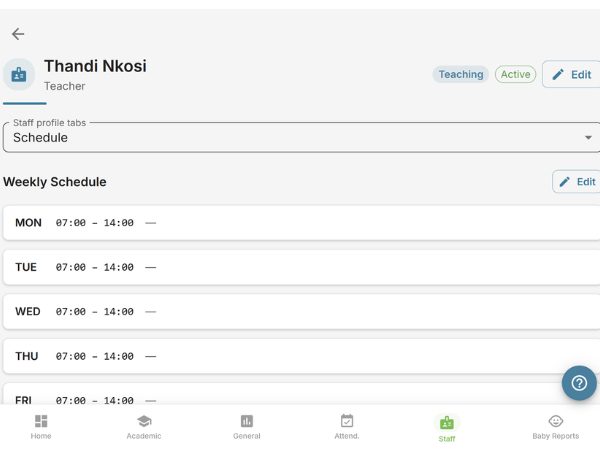
Assign staff to classes and shifts
Assign each staff member to a class and shift for each day of the week. Schedules are visible to staff via the self-service portal. The schedule feeds directly into ratio monitoring calculations.
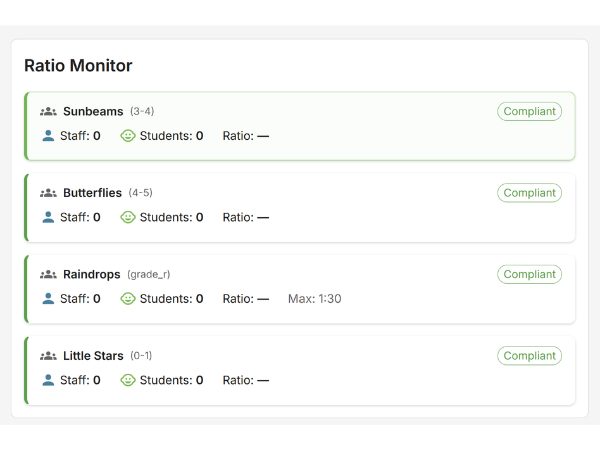
Checked every 30 minutes - principal alerted on breach
EarlyTrack monitors staff-to-child ratios automatically every 30 minutes during school hours. If a breach is detected, the principal receives an immediate alert. Every ratio check is logged permanently.
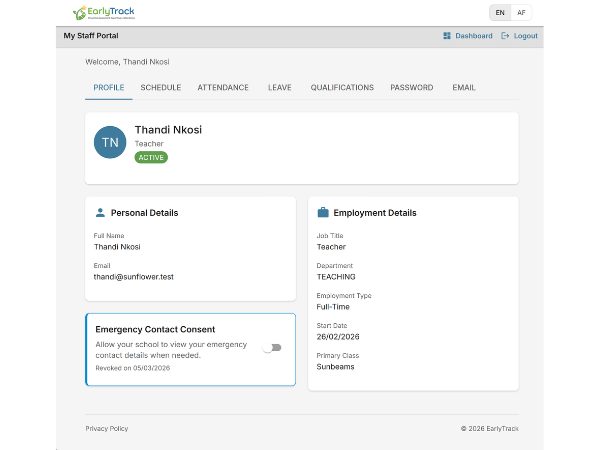
Staff manage their own information
Each staff member has a personal portal: clock-in history, leave requests, leave balances, schedule, qualifications, and notifications. Reduces the volume of questions directed at the principal.
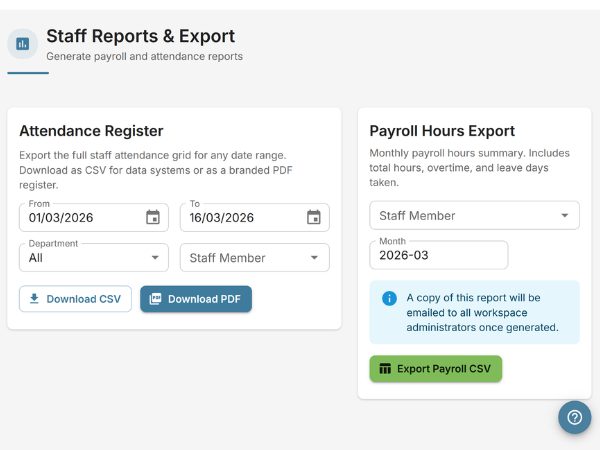
Generated and emailed automatically
On the first business day of each month, a payroll hours summary covering hours worked, overtime, leave taken, and flagged absences is generated and emailed to the administrator. EarlyTrack provides the data - your payroll process handles the rest.
From gates opening to end-of-day summary - every school day
Who the staff management module is designed for
ECD centres preparing for DSD inspection
Staff-to-child ratios, qualification currency, and timekeeping records are all areas a DSD inspector reviews. EarlyTrack produces a complete, searchable, timestamped record for all three.
Principals managing more than five staff
Above five staff members, informal management begins to fail regularly. EarlyTrack's automation is designed for the ECD centre that has grown past what a principal can track in their head.
Schools that have had a staff dispute about hours or leave
Every clock-in, step-out, leave request, and approval is timestamped, tied to a specific user account, and permanently stored.
Schools with staff who hold certificates that expire
First aid certificates, ECD practitioner qualifications, and police clearances all have expiry dates. EarlyTrack tracks every expiry date and sends automated alerts.
Schools where the principal does all staff administration
If the principal collects the sign-in sheet, updates the leave spreadsheet, tracks qualification renewals, and calculates hours - EarlyTrack removes each of those tasks.
What principals should know before switching from manual staff administration
Clock-in records cannot be edited after the fact without a principal override
The integrity of the clock-in record is protected. If a genuine correction is needed, the principal makes it with a logged override that records who made the change and when.
Staff can only see their own information in the self-service portal
No staff member can see another staff member's records, salary information, HR notes, or administrative data. Access boundaries are enforced at the account level.
Ratio monitoring is calendar-aware
The ratio monitoring system checks the school calendar before running. Ratio checks are not triggered on public holidays or school closure days.
Qualification data is isolated to your school
Staff qualification records, certificates, and personal employment information are stored within your school's isolated data environment.
Historical records are retained indefinitely
Clock-in history, leave records, qualification documents, and ratio logs are retained permanently. Records are not automatically deleted at year-end or on staff departure.
Staff departure does not delete records
When a staff member leaves and their account is deactivated, their clock-in history, leave records, and qualification documents remain in the system.
Questions about switching to digital staff management
Frequently asked questions
Staff management on Standard and Professional
Explore related features
Run your staff operations from the same platform as your assessments
The 14-day free trial gives you the complete Professional plan - the full staff management module, including clock-in, leave management, qualification tracking, ratio monitoring, and staff self-service - with no credit card required. The same module is where you run teacher assessments, so a teacher's development record lives with her clock-in and qualifications.
Start your free 14-day trialNo credit card. Full Professional access. Cancel any time.
Not ready? Request a walkthrough →
EarlyTrack also covers ELDA and Grade R assessments, DSD-compliant incident reporting, student attendance tracking, parent communication, digital enrolment, and AI observation comments.