
DSD-compliant incident reporting for South African ECD centres - complete records, every time
A paper incident form is only as useful as the last section that was completed. EarlyTrack implements the full DSD 2022 incident report specification - all 15 sections - with body-map injury markers, photo evidence, digital signatures, and automated parent acknowledgement tracking.
- Full DSD 2022 specification - all 15 sections built into the digital form
- Digital signatures from teacher, principal, and parent - tracked and stored
- Automated parent acknowledgement reminders - sent until the parent signs
Paper incident forms fail at the moment they matter most
Most South African ECD centres use paper for incident reporting because it has always been done that way. When an incident occurs, a teacher fills in the sections they remember, collects the signatures they can, and files the form.
Paper-Based
- Sections left blank - no completeness enforcement
- Missing signatures - principal or parent line empty
- Parent notified by WhatsApp - no proof of receipt
- Filed in a drawer - ten minutes to find one record
- No body map - injuries described in text only
EarlyTrack Digital
- All 15 sections enforced - nothing skipped
- Three digital signatures - timestamped and stored
- Automated parent notification - tracked until acknowledged
- Searchable register - any record found in seconds
- Interactive body map - tap to mark injury location
A child is injured during outdoor play. The teacher completes the description and injury sections. The severity classification is left blank. The body-map section is skipped. The principal signs the teacher's section but forgets to sign their own. The parent is notified by WhatsApp - there is no record of the exact wording or whether the parent saw it. Three months later, a DSD inspector asks for the record. It is found after ten minutes of searching. It is incomplete. The parent acknowledgement does not exist in any verifiable form.
When a DSD inspector asks for your records, they need to hold up. Paper-based records often do not.
The DSD 2022 incident form - built into EarlyTrack, section by section
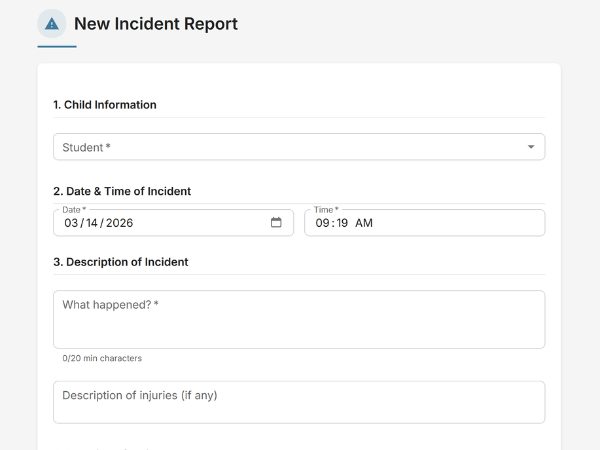
EarlyTrack does not provide a generic incident report template. The incident reporting module has been built against the DSD 2022 specification - every section that the Department of Social Development requires is present in the digital form, in the correct structure, with the correct fields.
What the DSD incident reporting module covers
The full 15-section DSD 2022 form
Every section the Department of Social Development requires - from student identification through to reporting to external bodies. No section is missing. No field has been simplified out.
Body-map injury markers - front and back
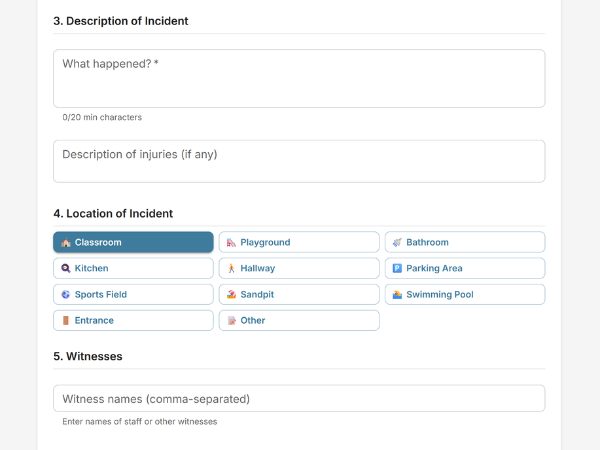
Interactive front-and-back child figure. Teachers tap to place markers at injury locations. The marked body map is rendered into the incident report document.
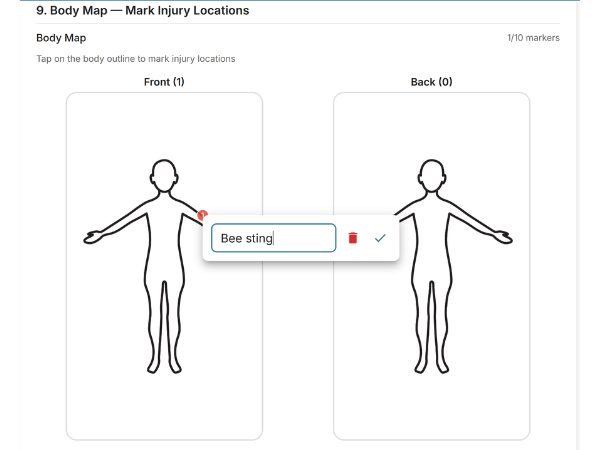
Photo evidence - up to five per incident
Photos uploaded directly from the device camera or file storage and stored securely against the incident record. Included in the principal's review. Not shared with parents unless explicitly included.
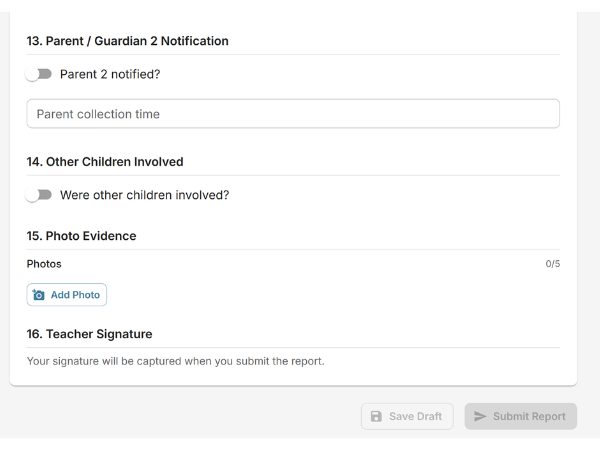
Digital signatures - teacher, principal, and parent
Three signatures collected digitally. Each timestamped and stored permanently. The full signature trail - who signed, on which device, at what time - is part of the record.
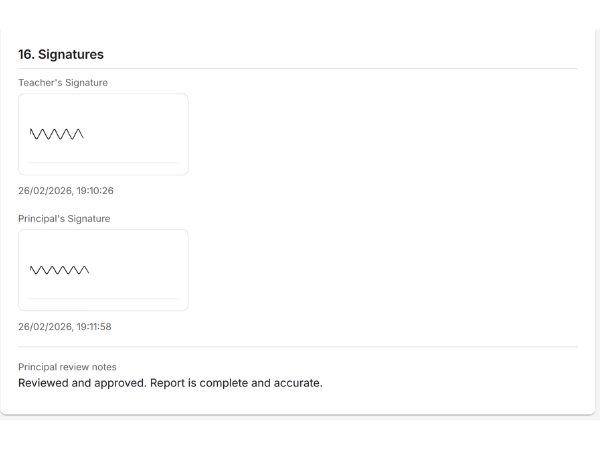
Parent acknowledgement tracking - automated reminders
Records when the parent was notified and tracks formal acknowledgement through the parent portal. Automated reminder emails sent until the parent responds. The full notification trail is stored permanently.
Auto-incremented incident numbering
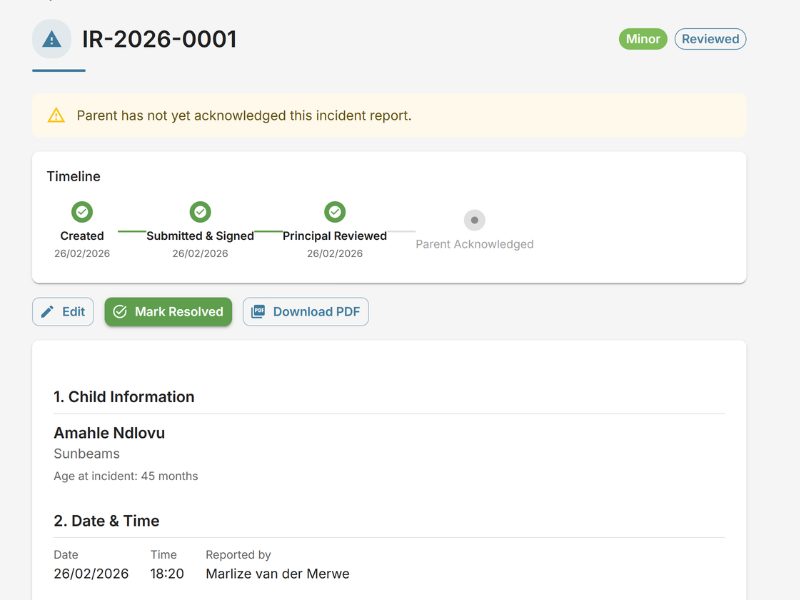
Every incident assigned a unique sequential reference number - IR-2026-0001, IR-2026-0002. Permanent, unchangeable, and searchable. Staff HR incidents use a parallel sequence (SIR-2026-0001).
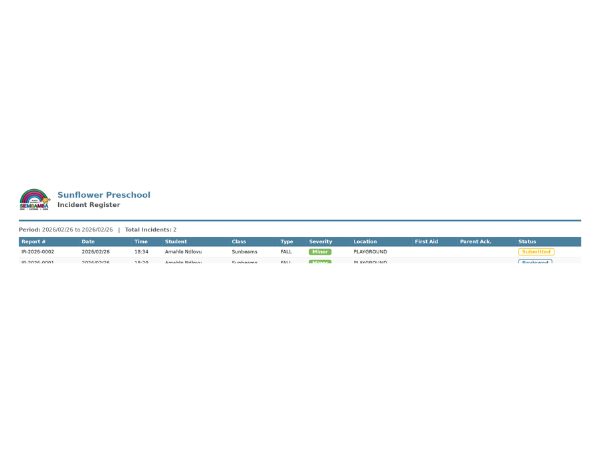
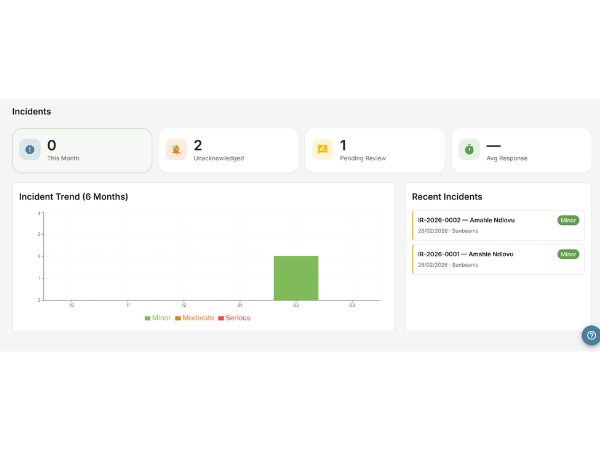
Monthly incident summary - generated automatically
On the Professional plan, a monthly summary report is emailed to the school administrator on the first of each month - total count, severity breakdown, acknowledgement status, and outstanding follow-ups.
Staff HR incident reports
Parallel module for workplace injuries, disciplinary events, or staff-related compliance records. Separate form, separate numbering sequence (SIR-2026-0001), same structured workflow.
From incident to compliant record in one session
Six steps. One workflow. Every incident documented completely, signed by all three parties, and stored permanently in a searchable register.
Who the DSD incident reporting module is designed for
DSD-registered ECD centres
If your centre is registered with the Department of Social Development, your incident records are a compliance requirement - not optional documentation. EarlyTrack's incident module gives you a record-keeping system that matches the specification your registration requires. Every incident is documented completely, numbered sequentially, and retrievable immediately.
ECD centres preparing for DSD registration
If you are working toward DSD registration and are auditing your current record-keeping practices, the gap between what paper forms produce and what a DSD inspector expects to see is often significant. EarlyTrack closes that gap before the inspection happens, not during it.
Principals who have experienced a DSD inspection
If you have been through a DSD inspection and had records questioned - incomplete forms, missing signatures, unverifiable parent notifications - EarlyTrack is the direct response to that experience. Every weakness the inspection exposed is addressed by the digital form.
Schools with high incident volumes or serious incident history
For centres that work with children with additional needs, run large outdoor programmes, or have historically higher incident rates, maintaining a clean, complete, and searchable incident record is not just a compliance matter - it is a liability management requirement. EarlyTrack's register, severity classification system, and automated monthly summaries support that ongoing oversight.
School groups and multi-campus operations
If you manage more than one ECD centre or campus, contact us about Enterprise options for consolidated incident oversight across locations.
What principals should know before switching to digital incident records
The form matches the DSD 2022 specification
Built against the Department of Social Development's 2022 incident report specification. Every required section is present. No element has been simplified or omitted.
Records cannot be altered after parent acknowledgement
Once acknowledged, the record is locked - contents, signatures, timestamps, and body-map markers cannot be modified. Protects both the school and the parent.
A full audit trail on every action
Every action - creation, submission, review, approval, parent notification, acknowledgement - is logged with a timestamp and user ID.
Serious incidents trigger immediate principal alerts
When classified as serious, an immediate high-priority notification and email is sent to the principal. Serious incidents are flagged visually in the register.
All incident records are isolated to your school
Your records are not shared with any other school. Multi-tenant data isolation is enforced at the database level - not just the application level.
Data export is available at any time
Your incident records belong to your school. A full export is available at any time. If you move to a different system, your records move with you.
Common questions about switching to digital incident records
Questions about switching from paper
Product questions
DSD incident reporting is available on the Professional plan
Explore related features
Your next DSD inspection should not find gaps in your records
The 14-day free trial gives you the complete Professional plan - including the full DSD incident reporting module - with no credit card required. Create a trial incident report, complete all 15 sections, test the parent acknowledgement flow, and see exactly what your records will look like when a DSD inspector asks for them.
Start your free 14-day trialNo credit card. Full Professional access. Cancel any time.