
Purpose-built Grade R assessment software for South African schools
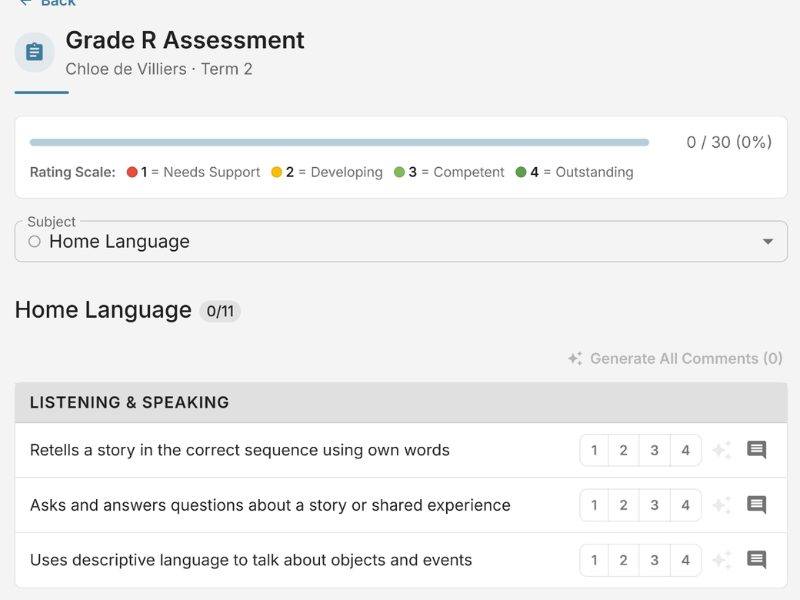
Grade R teachers in South Africa work to a specific curriculum with specific subjects, specific rating scales, and specific reporting expectations. EarlyTrack's Grade R module is built around the South African Grade R curriculum - 98 skills across Home Language, Mathematics, and Life Skills.
- 98 Grade R skills across Home Language, Mathematics, and Life Skills - already in the system
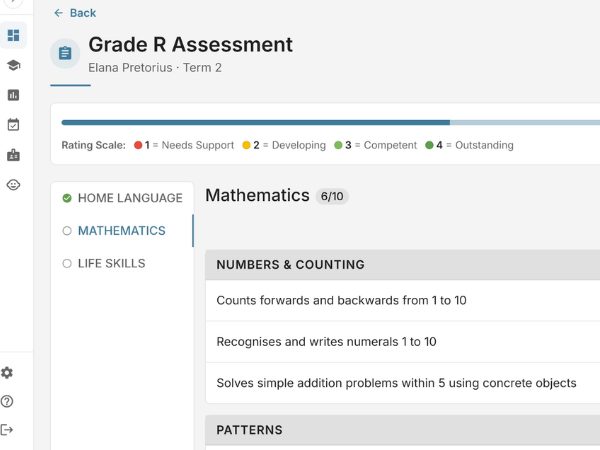
- Four-level numeric rating scale (1 to 4) - the correct scale for Grade R, not adapted from ELDA
- AI generates observation comments in English and Afrikaans - teachers review, not retype
Grade R teachers are building their own tools because no purpose-built option exists
Grade R sits in an unusual position in the South African education landscape. It is the reception year - the bridge between early childhood development and the formal school system. The curriculum is structured, the reporting expectations are defined, and the skills framework is specific to the South African Grade R context.
Despite that specificity, most Grade R teachers are using tools that were never built for them. Some use ELDA forms - designed for children aged 0 to 5 - adapted as best they can for a six-year-old in a structured school year. Some use generic school report templates. Some build their own spreadsheets at the start of every year, retype the 98 skills from a curriculum document, and apply ratings manually before compiling reports in a separate Word document.
The result is hours of manual work at the end of every term, inconsistent report quality across the class, and a reporting cycle that depends entirely on how much time the teacher has to spare.
What Grade R teachers need is not a preschool tool adapted to fit their context. They need a tool built for their context from the start.
98 Grade R skills - built in, structured correctly, ready from day one
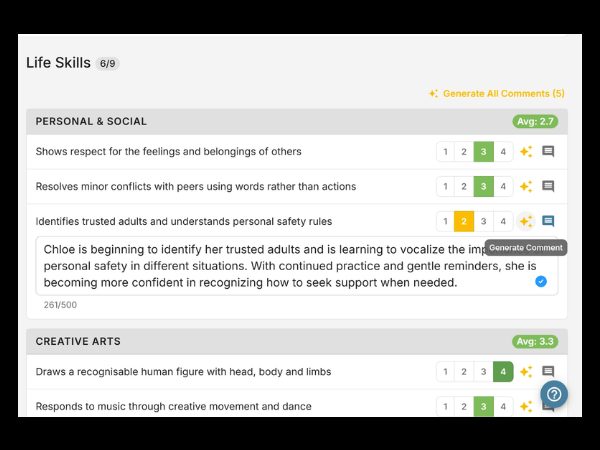
Teachers open a class, select a student, select the term, and begin rating. The form uses the four-level numeric rating scale. Terms 1 and 2 include subject-specific subsections. Progress is auto-saved every 30 seconds.
Rate Skills
Teachers rate skills subject by subject on the four-level numeric scale. Auto-save every 30 seconds.
Principal Approves
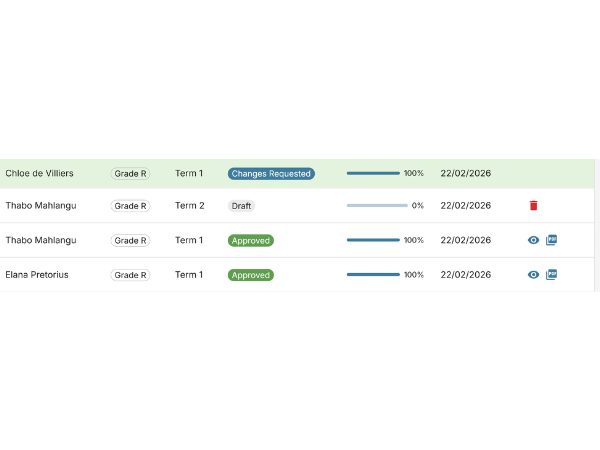
Submit for review. The principal approves, requests changes with a note, or rejects.
Report Delivered
Branded PDF generated automatically and sent to the parent portal with email notification.
What the Grade R assessment module covers
The full Grade R skill set - Home Language, Mathematics, and Life Skills
The Grade R assessment framework covers all 98 skills across the three core subjects. Home Language covers reading, phonics, writing, listening and speaking. Mathematics covers number recognition, shape and space, measurement, patterns. Life Skills covers personal development, creative arts, physical education, and beginning knowledge. All 98 skills are pre-loaded.
Four-level numeric scale - 1, 2, 3, and 4
Grade R assessments in South Africa use a four-level numeric rating scale where each level corresponds to a defined performance descriptor. This is different from the three-level descriptive scale used in ELDA. EarlyTrack's Grade R form uses the four-level numeric scale throughout.
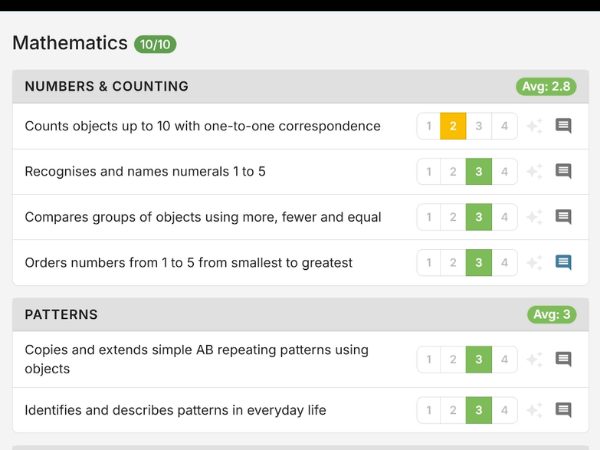
Terms 1 and 2 include subject-specific subsections
Grade R assessments are not uniform across all four terms. Terms 1 and 2 have specific subsections within subjects. EarlyTrack's forms reflect this term structure - the correct subsections appear automatically. The teacher does not need to remember which subsections apply.
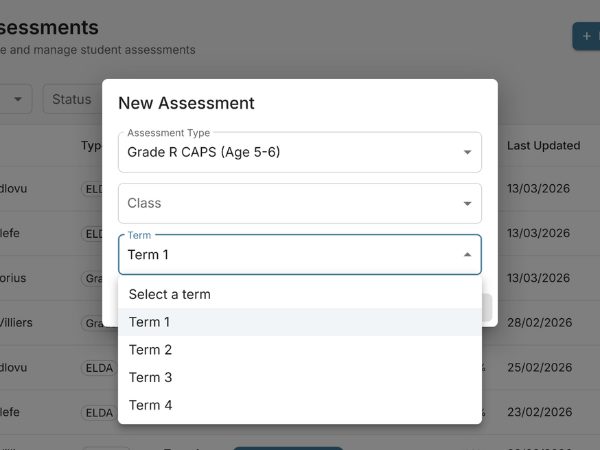
AI-generated observation comments - in English and Afrikaans
Writing individual observation comments for 98 skills across a class is one of the most time-consuming tasks. EarlyTrack generates comments using AI, based on skill ratings. Comments in English or Afrikaans. Unlimited on Professional.
Quality control before reports reach parents
The teacher submits the completed assessment. The principal reviews and approves or requests changes. Nothing reaches the parent without sign-off. The full approval trail is recorded.
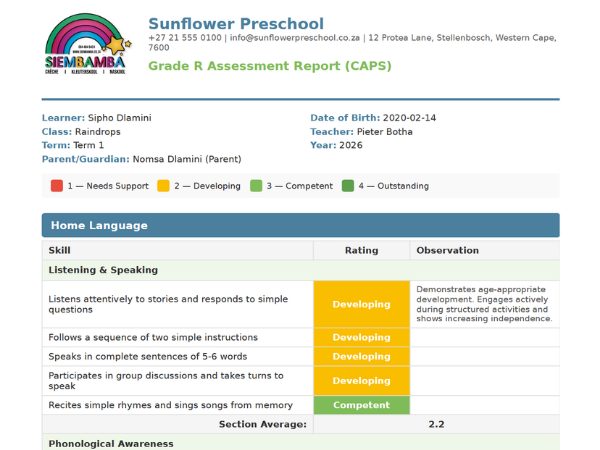
Generated automatically, delivered to parents
On approval, EarlyTrack generates a branded PDF report with school logo, student details, skill ratings by subject, and observation comments. On Professional, AI summaries and home activities included. Delivered to parent portal and by email.
Progress across terms and subjects
EarlyTrack stores every Grade R assessment result. Student progress, class summary, and school overview - all updated automatically on approval.
One school. One system. Both frameworks covered.
Many South African schools run a preschool programme alongside a Grade R class. EarlyTrack supports both ELDA and Grade R assessments in a single platform. The same approval workflow, PDF reports, parent portal, and AI tools cover both frameworks.
ELDA Assessments
964 skills · 5 age brackets · 6 domains · 3-level descriptive scale
Explore ELDA assessments →Grade R Assessments
98 skills · 3 subjects · 4-level numeric scale · Term subsections
You are hereFrom term open to parent PDF - the Grade R assessment cycle
Who the Grade R assessment module is designed for
Teachers using adapted ELDA forms
If your school uses ELDA templates for Grade R students because there was no better option, EarlyTrack gives you a dedicated Grade R form built to the correct curriculum.
Teachers building their own spreadsheets
If you rebuild your Grade R assessment grid from a curriculum document every year, EarlyTrack removes that step entirely. The 98 skills are already in the system.
Independent Grade R schools
If you run a standalone Grade R school, EarlyTrack works for your context. The Grade R module operates independently of the ELDA module.
Schools with both preschool and Grade R
If you manage ELDA and Grade R simultaneously, EarlyTrack covers both in one platform. One login. One approval workflow. One parent portal.
Afrikaans-medium Grade R schools
The Grade R forms, all 98 skill titles, AI comments, and PDF reports are available in Afrikaans. Language preferences are set per student.
What Grade R teachers and principals should know before switching
The rating scale is correct for Grade R
EarlyTrack uses the four-level numeric scale (1 to 4) - not an adapted ELDA scale.
All 98 skills are pre-loaded - nothing to configure
The full 98-skill framework is embedded. The first assessment can be started on day one.
The system auto-saves every 30 seconds
Teachers do not lose work if interrupted. Progress saves automatically across multiple sessions.
Grade R reports cannot reach parents without principal approval
The approval workflow is enforced. No PDF is generated until the principal explicitly approves.
Both ELDA and Grade R data live in the same system
Schools running both frameworks do not need to reconcile data between two systems.
Questions about Grade R assessments in EarlyTrack
Questions about switching to digital Grade R assessments
Frequently asked questions
Grade R assessments on Standard and Professional
Explore related features
Start assessing Grade R students the right way - this term
The 14-day free trial gives you the complete Professional plan - the full Grade R assessment module, AI observation comments in English and Afrikaans, branded PDF reports, and every other EarlyTrack feature - with no credit card required.
Start your free 14-day trialNo credit card. Full Professional access. Cancel any time.